Something happens
A label, CI failure, @mention, schedule tick, or signed webhook arrives.
Run Claude Code, Codex, Pi, OpenCode, and other coding agents on machines you control. Start sessions yourself or from GitHub, Slack, CI, webhooks, and schedules — then inspect, steer, approve, and continue them from your phone, browser, or terminal.
$ curl -fsSL https://bivy.sh/install.sh | bash
macOS or Linux · open source (AGPL-3.0) · unlimited machines · bring your own agents, subscriptions, and model accounts · free to self-host, or try Bivy Cloud free
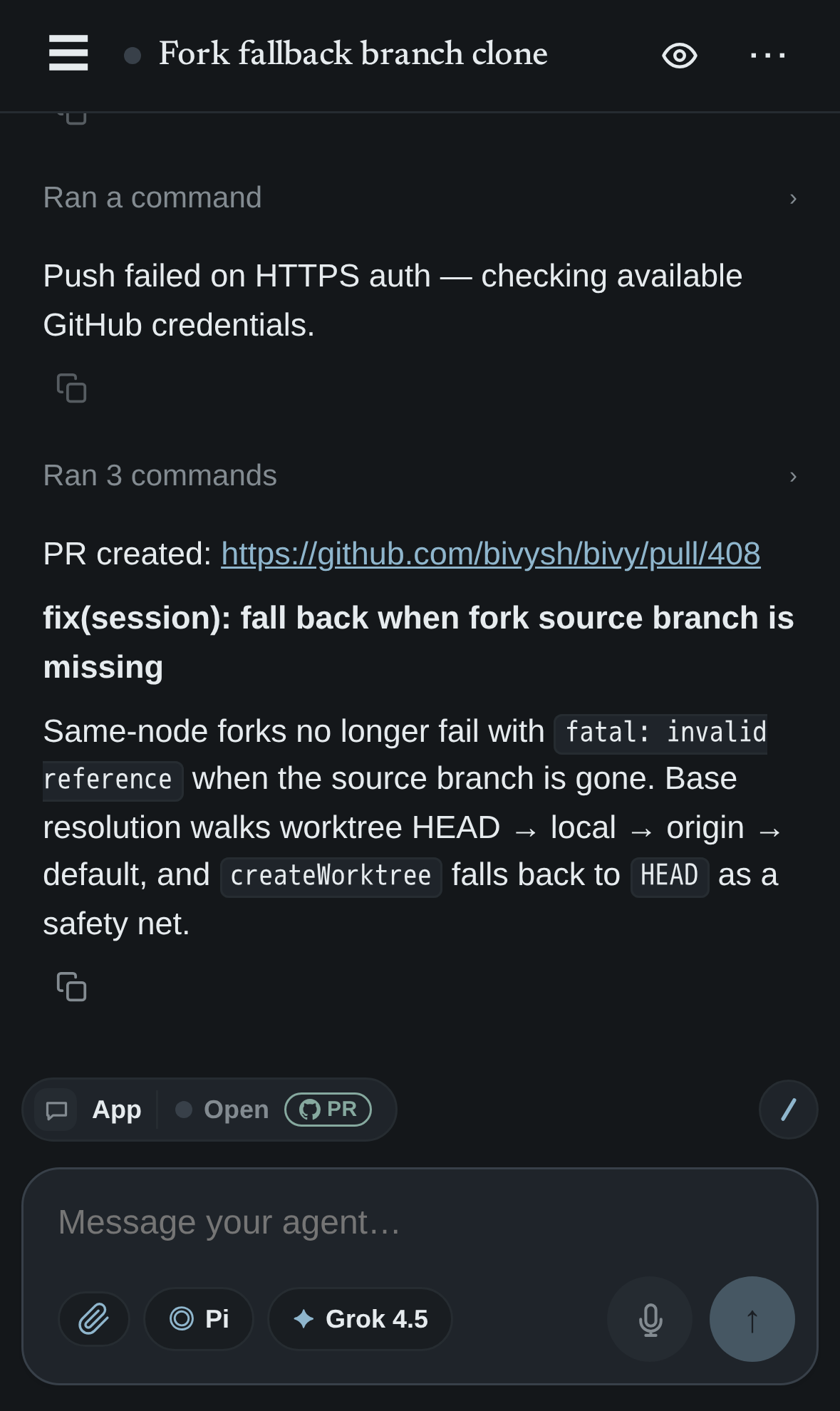
Suggested 12–18s loop: bivy run claude in terminal → agent keeps working → phone notification → approve / reply → PR opens. This should sit directly under the hero on launch.
Keep the CLI beside your editor. One command starts a session — pick the machine, agent, and model, then hand it off to any device.
$ bivy run claude
$ bivy run codex
$ bivy run pi --model gpt-5.6-sol
Open a session from your phone or browser and choose the machine, agent, model — even the GitHub repo — before it starts running.
home-lab-8
agentclaude
modelgpt-5.6-sol
repobivysh/bivy
GitHub, Slack, Linear, CI, schedules, and webhooks can open the same kind of session — routed to the machine, agent, and model you choose.
Automations
GitHub, Slack, Linear, CI, schedules, and webhooks can start the same kind of Bivy session you launch from the terminal. Route each one to the right machine, agent, and model, then join it whenever human judgment is needed.
A label, CI failure, @mention, schedule tick, or signed webhook arrives.
Prompt, policy, and success criteria are already chosen.
Use defaults, repo preferences, or an explicit event override.
Inspect progress, approve tools, reply, or take over live.
Front doors into a session — not a separate job system.
Unattended work still lands where the tools, repository, and secrets live.
Default node, repo default, or explicit tag — bivy/macbook, on hetzner.
Claude Code, Codex, Pi, OpenCode, and more.
Pin a model on the automation or pass it on the event. Your subscriptions and keys stay yours.
Suggested 10–15s loop: GitHub issue or CI failure → Bivy opens session on selected machine → agent starts → phone opens same session → human adds one instruction → PR updates.
Persistent sessions
Start from the CLI, a trigger, or the app. Leave it running on the machine where it started, then continue from your phone, browser, or terminal without rebuilding context.
Choose a machine, repository, agent, and model — manually or from an automation.
Walk away while the session continues on the machine where it started.
Read progress, reply, speak, attach files, and approve tools from your phone.
Return to terminal or browser, or fork the session to another agent or machine.
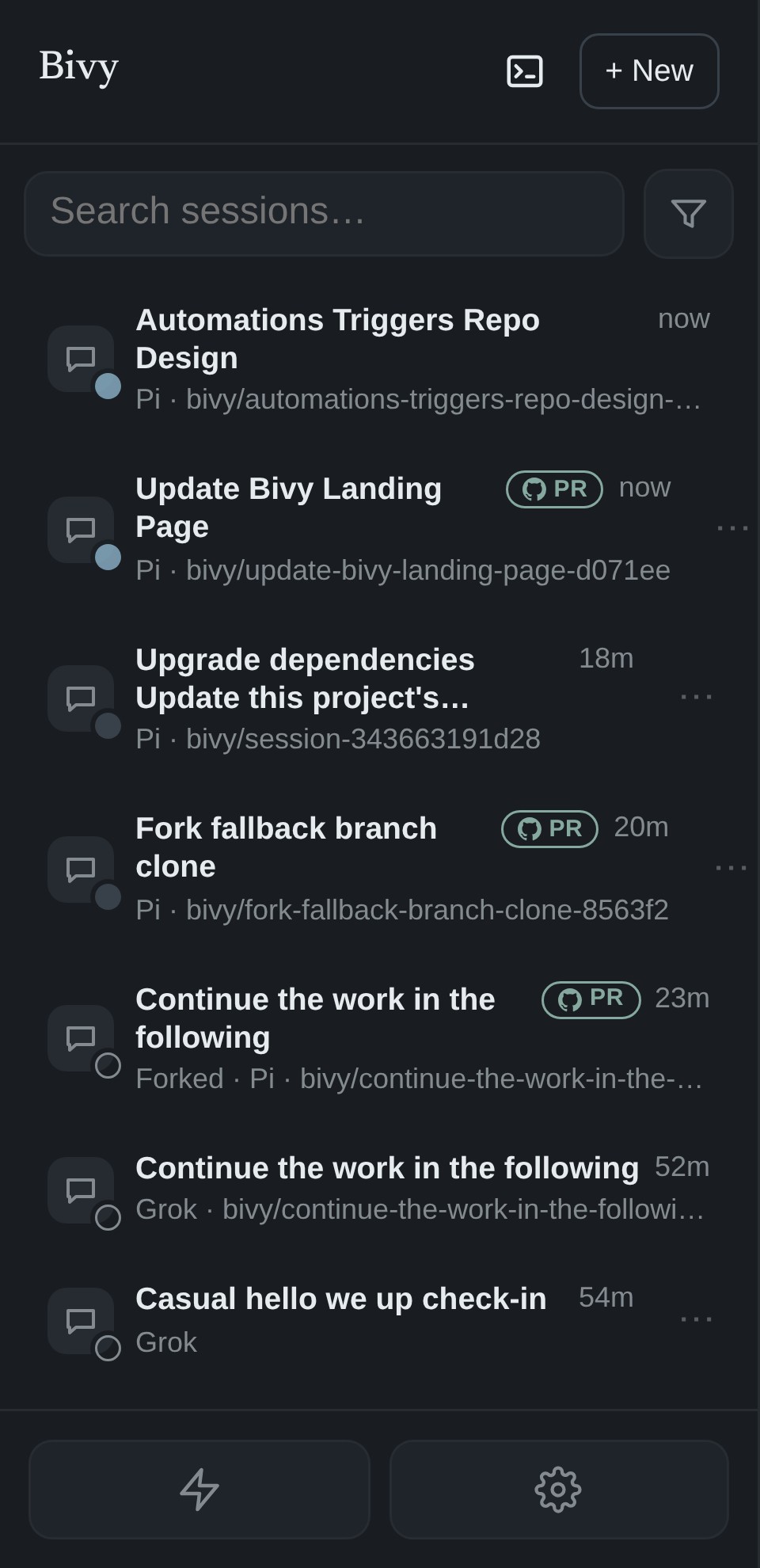
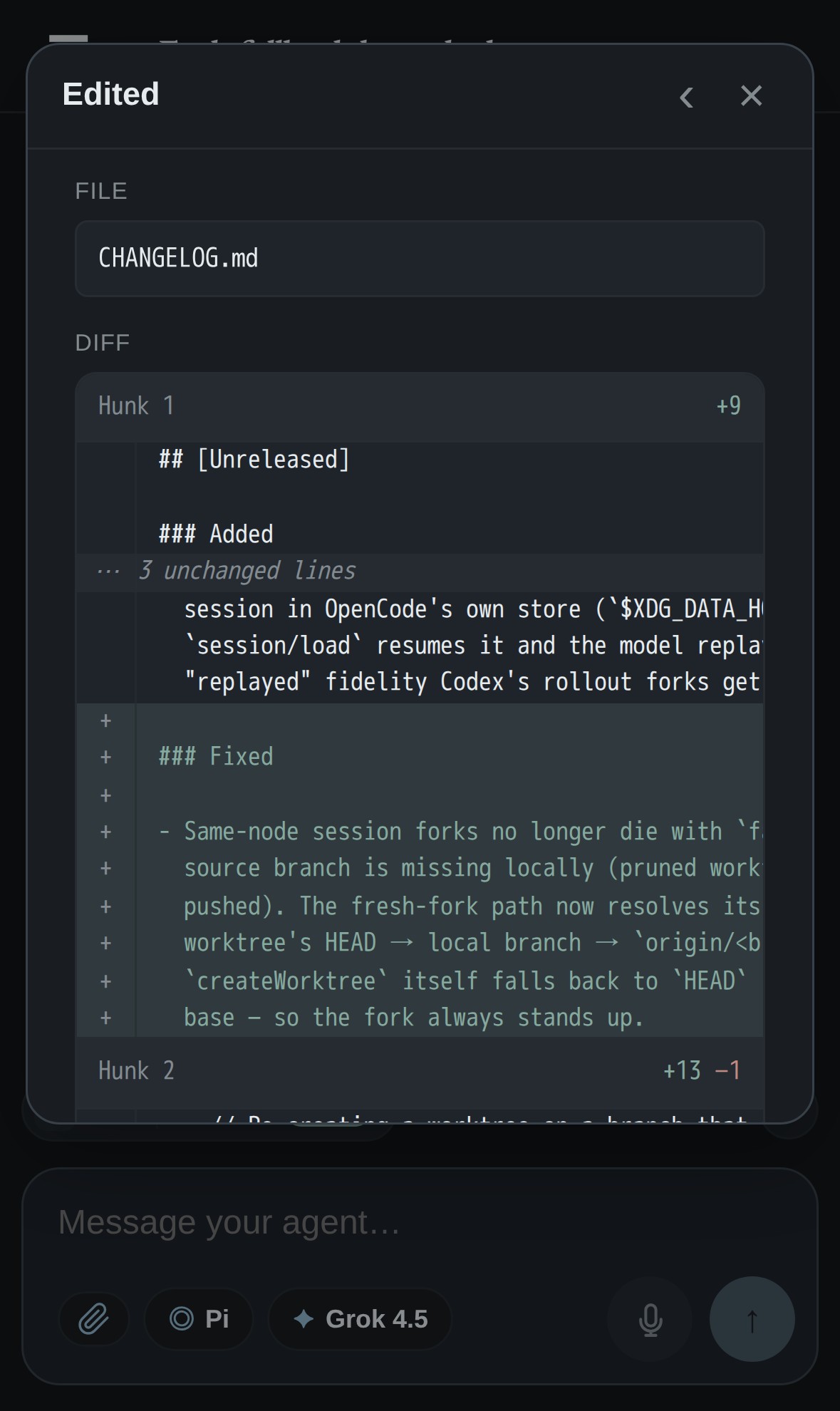
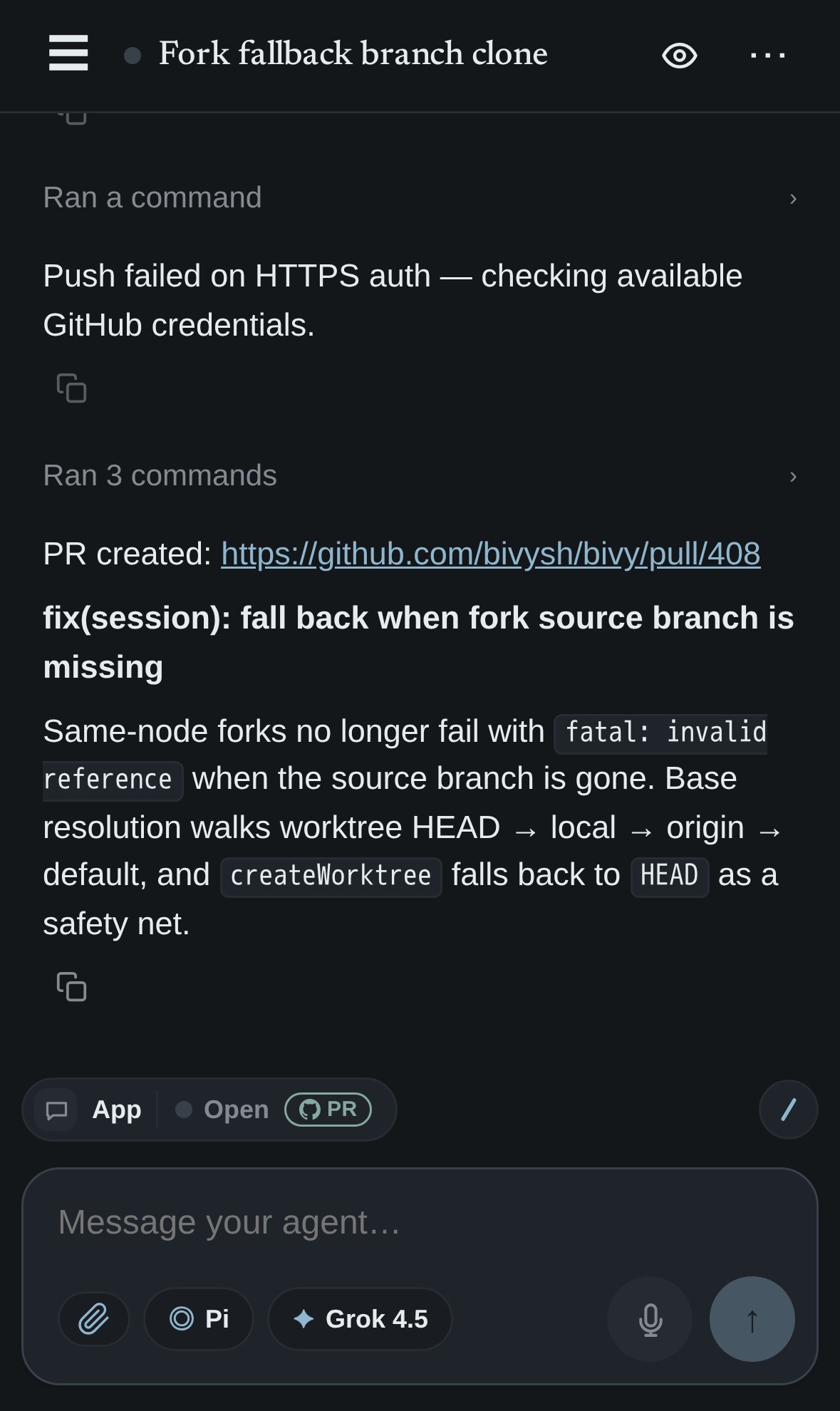
Suggested 8–12s loop: session list → open run → inspect diff → approve tool → send follow-up. Use this as a tighter alternative to three static phone screenshots if desired.
The right interface for the device
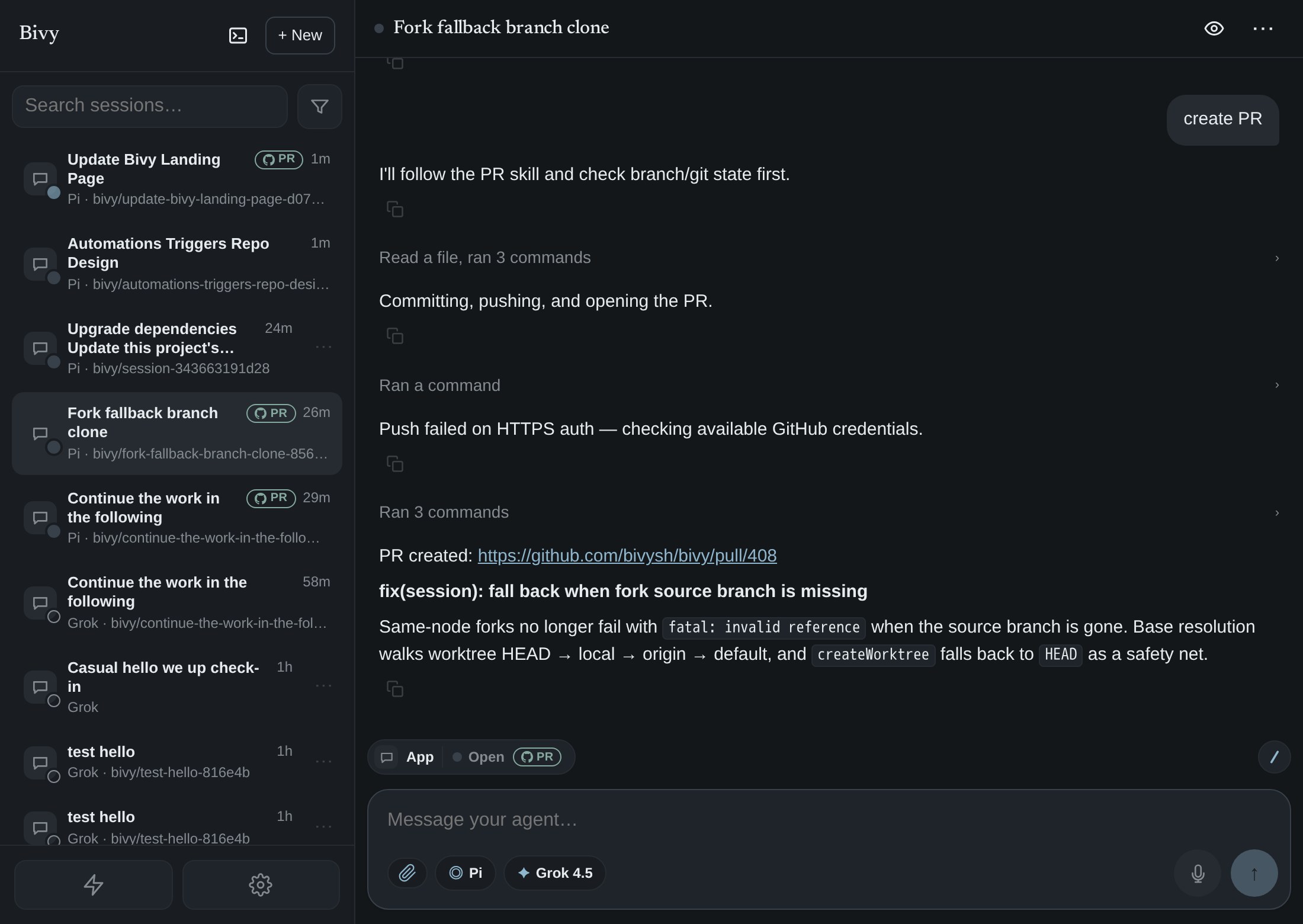
Bivy does not replace the terminal. It gives the same coding-agent session a proper app interface when a terminal is the wrong tool — especially on a phone.
Ownership
Bivy connects the infrastructure and subscriptions you already own. It does not sell you compute or model access.
Run agents on your laptop, Mac mini, Linux server, home lab, or cloud VM. Repositories, tools, network access, and compute stay in your environment.
Use Claude sign-in, Codex sign-in, supported OAuth, or your own API keys. Bivy does not provide or resell models.
Route each session to the machine and agent that fit the job, while keeping approvals and supported credentials available across the fleet.
 GitHub · Slack · Linear · Webhooks · Schedules
                              │
                              ▼
                   ┌─────────────────────┐
                   │      Bivy app       │
                   │ persistent sessions │
                   │ manual + automated  │
                   └─────┬─────┬─────┬───┘
                         │ E2E │
             ┌───────────┘     │     └───────────┐
             ▼                 ▼                 ▼
   ┌─────────────────┐ ┌─────────────────┐ ┌─────────────────┐
   │  Work laptop    │ │  Home server    │ │    Cloud VM     │
   │ $ bivy run      │ │ $ bivy run      │ │ $ bivy run pi   │
   │   claude        │ │   codex         │ │   --model       │
   │                 │ │                 │ │   gpt-5.6-sol   │
   └─────────────────┘ └─────────────────┘ └─────────────────┘

 Provider sign-ins and API keys belong to you.
Agents and code run on your infrastructure.Security and ownership
Your agents run on your machines with your provider accounts, subscriptions, and credentials. Bivy-managed credentials sync end-to-end encrypted between your devices and machines.
Features
Beyond start-and-continue, Bivy gives you precise control over where a session runs, where it goes next, and what happens when work fails — for manual runs and automations alike.
Send every session to the machine, agent, and model that fit the job. Set defaults per automation or per repository, override per event, and let offline tagged hosts wait instead of being silently rerouted.
Fork a session onto another agent or machine — or move it outright — keeping the transcript and any uncommitted worktree changes. Switching agents replays the conversation or seeds a continuation.
Decide how unattended work behaves: routing rules that place each event, plus retry and fallback behaviour for failed or stalled runs — applied the same whether the session started by hand or from a trigger.
Compare
SSH gives you a terminal. Hosted agents give you someone else's infrastructure. Bivy keeps the agents on your machines while adding persistent sessions, mobile-native interaction, approvals, routing, and automation.
| What you need | Bivy | Phone terminal / SSH | Hosted agent | IDE agent |
|---|---|---|---|---|
| Mobile experience | Purpose-built chat app | Desktop terminal on a phone | Job dashboard or vendor UI | Usually desktop-first |
| Terminal access | Yes, alongside chat | Primary interface | Usually limited | Inside the IDE |
| Where agents run | Your machines | Your machines | Vendor infrastructure | Your workstation |
| Model accounts | Your subscriptions and keys | Your subscriptions and keys | Vendor plan or catalog | Usually vendor-linked |
| Session continuity | Phone, browser, terminal, machines, agents | Manual terminal state | Within the hosted run | Within the editor |
| Automation | Triggers start the same joinable session | Build the glue yourself | Often a separate job UI | Rarely central |
Use Bivy when you want coding agents on your own infrastructure, but don't want the terminal to be the only place you can control them.
Pricing
Every feature is free when you self-host. Cloud gives you the same product on Bivy Cloud so there is no relay or control plane for you to operate.
Run the whole stack on your own infrastructure.
The same Bivy, fully managed.
Early team features built with design partners.
FAQ
Bivy is 0.x. We use it every day, but things still move, and not every agent adapter is equally mature.
Bivy runs coding agents on machines you control as persistent sessions. You can start a session yourself or let GitHub, Slack, Linear, CI, webhooks, or schedules start one automatically, then join and steer it from terminal, browser, or phone.
An automation starts an ordinary Bivy session. You can inspect it, message it, approve tools, and take it over exactly like a session you started by hand.
They appear in the same Bivy app as every other session. Leave the terminal, open the conversation from your phone, then return later without rebuilding context.
Only if you use the hosted control plane. You can self-host the control plane and relay and run Bivy without a Bivy Cloud account.
No plaintext prompts, transcripts, diffs, repo files, or model keys on the hosted control plane. Remote traffic is end-to-end encrypted between your machine and devices. Account, routing, billing, and run-status metadata stay on the control plane.
No. Pi, Claude Code, Codex, and OpenCode are Supported. Other adapters may be Beta or Experimental. See the agent matrix.
Yes. Bivy Core — the node, CLI, web app, relay, and control plane — is free and open source under AGPL-3.0-only.
Yes — as many machines as you want on Self-hosted and Cloud. Pick the machine when you start work, set an automation default, or override per event.
No. Some agents have their own sandbox, some expose tools Bivy can gate, and some largely run as you. Bivy does not ship an OS-level jail.
Use a hosted coding agent if you want the vendor to own the box, model bill, and most of the environment. Use Bivy when the work should run on your machines and stay something you can open and steer.
Try it
Run the coding agents you already use on your own machines. Start them manually or automatically, then continue from terminal, browser, or phone.
$ curl -fsSL https://bivy.sh/install.sh | bash